'%3e%3cpath%20d='M33.4418%203.1207H14.1744V11.1107H37.5569V7.23412C37.5569%204.96576%2035.7108%203.1207%2033.4418%203.1207Z'%20fill='%23E0DEFF'/%3e%3cpath%20d='M22.5352%2012.3403H0V4.92636C0%202.20972%202.21068%200%204.92828%200H12.1336C12.8497%200%2013.5396%200.150925%2014.1664%200.434509C15.0418%200.828964%2015.7939%201.47913%2016.3213%202.3286L22.5352%2012.3403Z'%20fill='%233142FF'/%3e%3cpath%20d='M42%2014.0001V37.8814C42%2040.1527%2040.1511%2042%2037.8789%2042H4.12111C1.84891%2042%200%2040.1527%200%2037.8814V9.88058H37.8789C40.1511%209.88058%2042%2011.7285%2042%2014.0001Z'%20fill='%236C7BFF'/%3e%3cpath%20d='M42%2014.0001V37.8814C42%2040.1527%2040.1511%2042%2037.8789%2042H21V9.88058H37.8789C40.1511%209.88058%2042%2011.7285%2042%2014.0001Z'%20fill='%235869FF'/%3e%3cpath%20d='M32.0479%2025.9398C32.0479%2032.0322%2027.0918%2036.9887%2021%2036.9887C14.9082%2036.9887%209.95203%2032.0322%209.95203%2025.9398C9.95203%2019.8484%2014.9082%2014.8919%2021%2014.8919C27.0918%2014.8919%2032.0479%2019.8484%2032.0479%2025.9398Z'%20fill='%23EFEFFF'/%3e%3cpath%20d='M32.0479%2025.9398C32.0479%2032.0322%2027.0918%2036.9887%2021%2036.9887V14.8919C27.0918%2014.8919%2032.0479%2019.8484%2032.0479%2025.9398Z'%20fill='%23E0DEFF'/%3e%3cpath%20d='M24.561%2026.0754C24.3306%2026.2705%2024.0483%2026.3657%2023.7685%2026.3657C23.4183%2026.3657%2023.0703%2026.2173%2022.8268%2025.9283L22.2304%2025.2214V29.8494C22.2304%2030.5288%2021.6793%2031.0799%2021%2031.0799C20.3207%2031.0799%2019.7695%2030.5288%2019.7695%2029.8494V25.2214L19.1732%2025.9283C18.7342%2026.4477%2017.9584%2026.514%2017.439%2026.0754C16.9199%2025.6373%2016.8532%2024.8612%2017.2913%2024.3418L19.7269%2021.4544C20.0444%2021.0788%2020.5078%2020.8629%2021%2020.8629C21.4922%2020.8629%2021.9555%2021.0788%2022.2731%2021.4544L24.7087%2024.3418C25.1467%2024.8612%2025.0801%2025.6373%2024.561%2026.0754Z'%20fill='%236C7BFF'%20fill-opacity='0.7'/%3e%3cpath%20d='M24.561%2026.0754C24.3306%2026.2705%2024.0483%2026.3657%2023.7686%2026.3657C23.4183%2026.3657%2023.0703%2026.2173%2022.8268%2025.9283L22.2305%2025.2214V29.8494C22.2305%2030.5288%2021.6793%2031.0799%2021%2031.0799V20.8629C21.4922%2020.8629%2021.9555%2021.0788%2022.2731%2021.4544L24.7087%2024.3418C25.1467%2024.8612%2025.0801%2025.6373%2024.561%2026.0754Z'%20fill='%236C7BFF'/%3e%3c/g%3e%3cdefs%3e%3cclipPath%20id='clip0_2003_1421'%3e%3crect%20width='42'%20height='42'%20fill='white'/%3e%3c/clipPath%3e%3c/defs%3e%3c/svg%3e)
A 200KB target for photos and scanned images
An image upload can accept the file format yet reject the original size. The 200KB preset is useful for a photo, screenshot or scanned image attached to a form, with a shared target available for a batch of image files.
How to compress an image to 200KB
Photos and scanned image attachments can need a 200KB version before an online submission accepts them. HiCompress provides that file-size target for JPG, JPEG, PNG and WebP images, with free single-file and batch processing. Several attachments can be prepared together while the target applies to each picture. There is no need to move into a desktop editor: compression and downloads are available from the same browser page.
1Select photo or image attachments
Add the supported images using “Select Images”, or drag the files into the upload box.
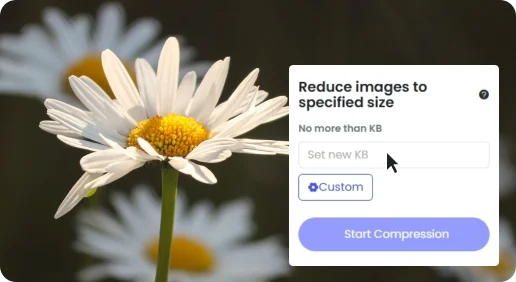
2Run compression at 200KB
Keep the 200KB preset in the size field, then click “Start Compression”.
3Download the image attachments
Save the compressed files you need, or take the completed set as a ZIP download.
Scanned images with useful detail
On a photographed or scanned page, small numbers, dates and punctuation can matter as much as the heading. A readable source is valuable because file compression reduces stored data rather than repairing blurred text or uneven lighting.
Image attachments and PDF documents are different
A scanned JPG is an image; a scanned PDF is a document file. This page handles JPG, JPEG, PNG and WebP. The PDF compressor serves attachments that need to remain PDF documents.
